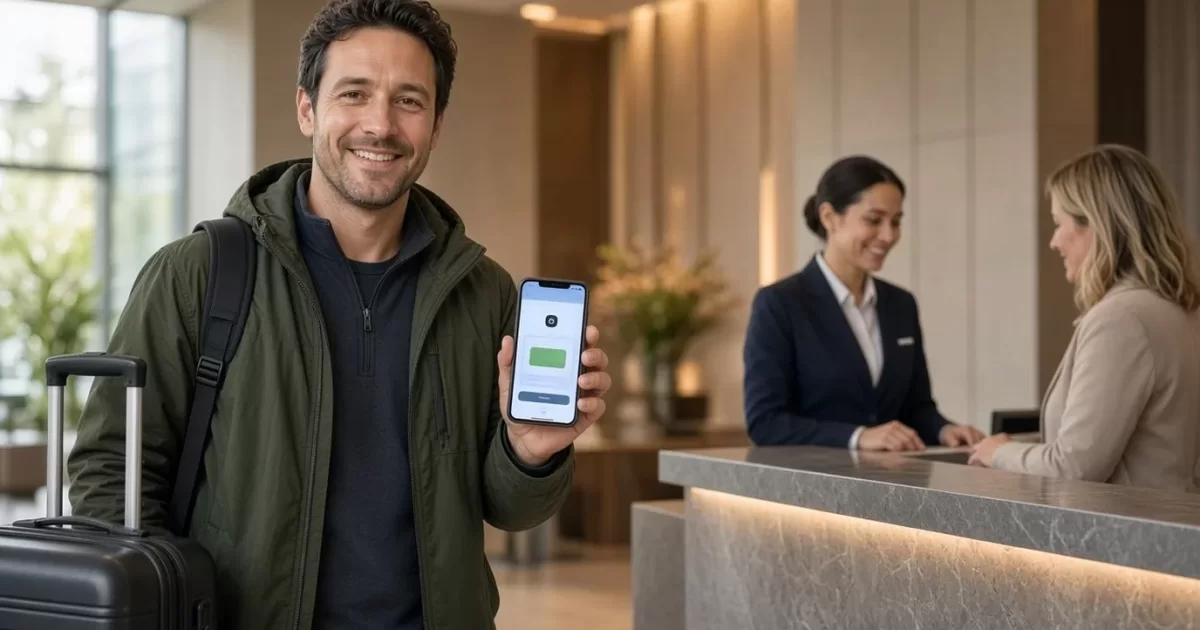
A hospitality group with nine properties wanted guests to check in on their phones and skip the front desk. This hotel guest app development project shipped mobile check-in at all nine hotels in 16 weeks. Digital room keys went live only at the properties whose locks could support them.
Below: what was failing, what we built, the decision that shaped the rollout, and what we would change next time.
The situation: nine hotels, one queue problem
The client is a hospitality group running nine mid-scale and boutique hotels. Arrival peaks hit the front desk hard: late afternoon, a tour group, a conference block. Staff rushed through ID and card checks, and upgrade offers were skipped because there was no time.
The group already had a booking engine and a property management system (PMS). What it lacked was anything between booking and arrival. Pre-arrival emails were static, so guests could not confirm details, pay a deposit or share an arrival time in advance.
- No digital check-in. Every guest repeated details already in the reservation.
- No mobile keys. Key cards were encoded at the desk, one guest at a time.
- No shared guest record. A repeat guest at one hotel was a stranger at another.
The goal and the constraints
The goal was simple to state. A guest should be able to check in, pay any deposit and reach the room without stopping at the desk. Staff should only see guests who need help or want a conversation.
The constraints were less simple.
- Deadline. Live before the summer peak, which gave us about four months from kickoff.
- Mixed lock hardware. Three lock systems across nine sites. Only some had vendor support for mobile keys. The rest needed reader or lock upgrades.
- Two PMS setups. Seven properties ran a cloud PMS with a documented API. Two ran an older on-premise version with a limited interface.
- Payments. The group wanted card data kept out of its own systems to keep PCI DSS scope small.
If your properties run on mixed systems, you can start a project like this one and get a plan scoped to what your locks and PMS can actually do.
What hotel guest app development involved here
Architecture
We built a React Native app for iOS and Android, plus a mobile web check-in flow on the same backend. The backend is Node.js and TypeScript on PostgreSQL. It is a thin layer between guest screens and the systems of record.
The PMS stays the source of truth for reservations and room status. Our backend reads reservations, writes check-in status and guest details back, and caches only what the app needs to load fast. We did not want a second reservation database drifting out of sync with the first.
Integrations
- PMS: direct API calls for the seven cloud properties. For the two on-premise sites, a small middleware service read a scheduled export and posted updates through the interface they had.
- Payments: Stripe for deposits and pre-authorisation of incidentals. Card details are tokenised on the device, so raw card numbers never touch our servers.
- Mobile keys: the lock vendor's SDK, wrapped in a native module. A key is issued only after the PMS confirms a room assignment.
- Messaging: Twilio SMS with a check-in link, sent before arrival. The link opens the app if installed and the web flow if not.
The guest flow
Check-in is five screens: find the reservation, confirm details, set an arrival time, pay the deposit, get the room. We built to WCAG 2.2 AA, with large touch targets and clear error text. A tired traveller at 11pm is not a forgiving user.
Team and timeline
Three engineers, a designer and a QA lead, over 16 weeks. That broke down as two weeks of discovery and integration audit, ten weeks of build, and four weeks of pilot and rollout. The pilot ran at two properties before the other seven went live in waves.
The hard decision: ship keys where they work
The obvious plan was to wait until all nine properties had compatible locks. Upgrades were quoted at weeks per property and a serious capital line. Waiting would have pushed launch past the summer peak.
We recommended splitting the product into two features with separate rollouts. Mobile check-in went live at all nine hotels. Mobile keys went live only where the locks already supported them.
At the other properties, a checked-in guest gets express pickup: a pre-encoded card waiting in a dedicated slot at the desk. It is less elegant than a phone key. It still removes most of the time a guest spends at the counter.
- For: on-time launch, value at every property, and real usage data before committing to lock spend.
- Against: two guest experiences to build, test and explain. Staff at express-pickup sites had more to learn.
The usage data later helped the group pick which properties to upgrade first. That choice was based on actual adoption rather than a guess.
Results
We report directions and ranges here. The group's measurement changed as the system went in, and we would rather not imply precision we cannot back.
- Adoption: at properties with mobile keys, digital check-in became a regular habit for a meaningful share of arrivals within the first season. It was lower at express-pickup sites and at hotels with more walk-in and group business.
- Desk time: front-desk teams reported shorter peak queues. They also reported more time for guests who actually needed help.
- Data quality: far fewer reservations arrived with an unknown arrival time. Housekeeping could plan room turns around real ETAs.
- Upgrades: room upgrade offers in the pre-arrival flow produced sales the desk used to skip at busy times. The group is still measuring the net effect.
What we would do differently
- Start lock vendor talks in week one. SDK access, test hardware and sandbox credentials took weeks we had not planned for.
- Test message timing earlier. When the check-in link arrives affects completion. We tuned it during the pilot when we should have tested it from the start.
- Train staff before the pilot. Desk teams learning the new flow while live guests watched was harder than it needed to be.
- Build the shared guest profile sooner. We left cross-property profiles to a later phase. Repeat guests noticed.
How a similar project starts
- Inventory. List PMS versions, API access, lock systems and payment processor for each property.
- Integration audit. Spend one to two weeks confirming what the PMS lets you read and write. This decides scope more than any screen design.
- Key strategy. Check which locks support mobile keys today. Some lock partners also support hotel keys in Apple Wallet, which removes the need for an app download.
- Pilot, then waves. Run one or two properties first. Roll out the rest in groups so support load stays manageable.
FAQ
How much does a hotel guest app cost to build?
For a small group with mobile check-in and keys, budgets typically range from $80K to $250K. The spread comes mostly from PMS and lock integrations, not app screens. An older on-premise PMS or several lock vendors pushes you toward the top of the range.
Will guests download an app just to check in?
Many will not, especially one-time guests. That is why we pair the app with a mobile web check-in flow from the same backend. The app earns its place with repeat guests and mobile keys.
Does mobile check-in remove the ID check?
Not automatically. ID requirements depend on local rules, brand standards and the group's risk policy. Plan for where and how an ID check happens before you design the flow, not after.