Most warehouse management app development projects should start as a mobile layer on top of the WMS you already run, not as a new WMS. A scanning and picking app that syncs cleanly with your system of record typically ships in 12 to 20 weeks. A full custom WMS typically takes 6 to 12 months and costs several times more.
We have built receiving, picking and inventory apps for distribution and 3PL floors. This guide covers the five features that matter and the rules that shape the build. It also covers integrations, honest cost ranges, and the mistakes we see first-time buyers make.
The five features a warehouse app must have
1. Hardware scanning that keeps up with the picker
Pickers on a busy shift can scan hundreds of items an hour. Camera scanning on a consumer phone is fine for an occasional cycle count. At picking volume it is too slow and misreads damaged or shrink-wrapped labels.
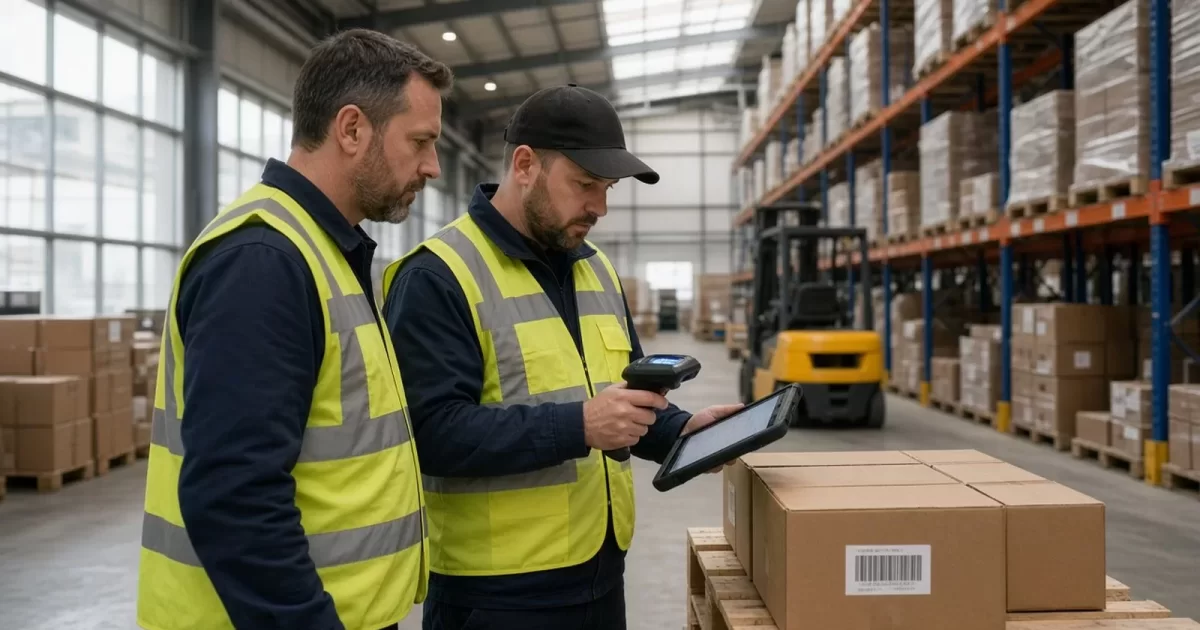
Build for rugged Android devices from Zebra or Honeywell, which read barcodes through a dedicated imager. On Zebra devices, DataWedge hands each scan to your app as an Android intent, so you need no custom scanner code. The app should confirm each scan with a beep, a vibration and a color change in well under half a second.
Parse GS1-128 barcodes properly. Application identifiers such as (01) for GTIN, (10) for lot and (17) for expiry carry the data your inventory depends on. If the app makes someone type a lot number, expect typos in your traceability records.
2. Offline-first operation
Wi-Fi drops between steel racking, inside freezers and at the far end of the dock. If a scan fails because the network blinked, pickers stop trusting the app and go back to paper. Write every transaction to local storage first, in SQLite or Room, then sync in the background.
Give each transaction a unique ID generated on the device. The server treats a retried upload as a duplicate, not a second pick, so inventory is never decremented twice. On Android, WorkManager retries queued uploads after a reboot or a dropped connection.
3. Directed picking that matches your floor
Picking one order at a time works at low volume. Above a few hundred orders a day, most floors move to batch, zone or cluster picking. The app has to support the method your floor actually runs.
Sort each pick list by location sequence so the picker walks each aisle once. Show one task per screen: location, item, quantity. Require a location scan and then an item scan, because that two-scan check is where most mispick reduction comes from.
4. Receiving and putaway with lot, serial and expiry capture
Receiving is where bad data enters the system. The app should receive against an advance ship notice (ASN) when one exists and flag over and short receipts on the spot. For food and pharma, putaway and picking should enforce FEFO (first expired, first out), not just FIFO.
5. Exceptions and a complete audit trail
Short picks, damaged cartons, empty locations and wrong items happen every shift. Each needs a one-tap path that records a reason code and triggers the right follow-up, such as a cycle count. Log every scan with user, device, location and timestamp, because clients and auditors will ask who touched a pallet and when.
If you want a second opinion on your scope, you can talk to an engineer who has built in your industry before you commit a budget.
Compliance rules that shape the build
Which rules apply depends on what you store and for whom. Most come down to one requirement: prove where a unit came from, where it went and who handled it. Here are the ones we see most often.
- FDA FSMA Food Traceability Rule (21 CFR Part 1, Subpart S). Foods on the Food Traceability List need Key Data Elements recorded at receiving, shipping and transformation, tied to a traceability lot code. You must produce an electronic sortable spreadsheet within 24 hours of an FDA request. FDA has moved the compliance date from January 2026 to July 2028, so confirm the current date on the FDA rule page.
- Drug Supply Chain Security Act (DSCSA). Pharma 3PLs need state or federal licensure and must report to FDA each year. Trading partners exchange package-level data: GTIN, serial number, lot and expiry from a 2D DataMatrix code. FDA has granted staggered exemptions, so check the dates for your role on the FDA DSCSA page.
- DOT Hazardous Materials Regulations (49 CFR Parts 171 to 180). Hazmat shipments need correct shipping papers, UN numbers and labels. The app should stop a picker from packing hazmat into a service that cannot carry it.
- CBP bonded warehouse rules (19 CFR Part 19). Bonded goods must be tracked apart from duty-paid stock, with records of every entry and withdrawal.
- Contract rules that act like regulations. Many 3PL clients ask for a SOC 2 Type II report. Retailer routing guides charge back for wrong labels or late ASNs, often per carton.
The integrations you will need
The app is only as good as its sync. Expect to connect to most of these systems.
- WMS or ERP: Manhattan, Blue Yonder, SAP EWM, NetSuite, Fishbowl or a homegrown system. Newer systems have REST APIs; older ones may need SFTP flat files or database staging tables.
- EDI: 940 shipping orders, 945 shipping advice, 943 and 944 for inbound stock, and 856 ASNs. Most 3PLs use a provider such as SPS Commerce or Orderful rather than parse EDI themselves.
- Carriers: UPS, FedEx and USPS APIs directly, or a multi-carrier layer such as EasyPost or ShipStation.
- Label printers: Zebra printers use ZPL. Generate it on the server and send it to the printer over the network.
- Ecommerce: Shopify and the Amazon Selling Partner API for direct-to-consumer clients.
- Device management: SOTI MobiControl, Microsoft Intune or Zebra StageNow to push updates and lock devices to your app.
How we handle WMS sync
Decide on day one which system owns inventory. In our projects the WMS almost always stays the system of record, and the app sends events, not totals. “Picked 6 of SKU X from A-04-02” is safe to replay; “SKU X has 40 on hand” overwrites someone else's work.
Pull reference data such as locations, items and open tasks on a schedule or by webhook. Push transactions as they happen. Run a nightly report that compares app events with WMS records, so drift shows up in a day rather than at the quarterly count.
What warehouse management app development costs and how long it takes
These are typical ranges for US-led teams. Scope and the quality of your WMS API move them more than anything else.
Companion scanning and picking app
Receiving, putaway, picking, packing and cycle counts on top of an existing WMS. Typically 12 to 20 weeks and $80K to $180K. Add 4 to 8 weeks if the WMS has no usable API and you need a staging layer.
Custom WMS for a multi-client 3PL
An inventory engine, client portal, storage and accessorial billing, EDI and the mobile app. Typically 6 to 12 months and $250K to $600K or more. Billing rules alone often take longer than buyers expect, because every client contract is different.
Costs people forget
- Rugged devices, typically $1,000 to $2,500 each before cradles, spare batteries and cases.
- Maintenance, typically 15 to 20 percent of the build cost each year.
- EDI provider fees, often charged per trading partner.
- Device management licenses, charged per device per month.
Budget for a pilot in one zone on one shift for two to four weeks. It is the cheapest place to find problems.
Three mistakes first-time buyers make
Designing in the office
Screens that look fine on a laptop fail on a small screen held in a gloved hand under poor lighting. Use large tap targets, high contrast and almost no typing. We put builds in front of real pickers on the floor in the first month, not after launch.
Treating sync as a detail
Teams scope screens and features, then bolt sync on at the end. The result is lost scans after a reboot and double-counted picks after a retry. Offline storage, transaction IDs and reconciliation belong in the first sprint, not the last.
Replacing the WMS when the problem is the handheld
A slow mobile client often triggers a full WMS replacement. In many cases the inventory logic is fine and only the floor experience is broken. Fix that first and you keep billing, EDI maps and years of history intact.
Two questions to ask any agency
- “What happens when a picker scans in a dead zone and the device reboots before it syncs?” A good answer names local persistence, device-generated transaction IDs, server-side deduplication and automatic retry. A vague answer about the cloud is a red flag.
- “Which WMS and EDI integrations have you shipped, and what broke in the first month?” Teams that have done this name specific failures, such as a 945 rejected for a missing field. Teams that have not will talk only about features.
FAQ
How much does it cost to build a warehouse management app?
A scanning and picking app on top of an existing WMS typically costs $80K to $180K. A full custom WMS for a multi-client 3PL typically runs $250K to $600K or more. Devices, EDI fees and yearly maintenance are extra.
Should a 3PL build a custom WMS or buy one?
Buy or keep a proven WMS if it handles your inventory and billing well, and build a custom mobile layer for the floor. Build a full WMS only when your billing, client portal or workflows are a real competitive edge that packaged systems cannot support.
Can a warehouse app work without Wi-Fi?
Yes, if it is built offline-first. The app saves each scan on the device and syncs when the connection returns. Unique transaction IDs stop retries from being counted twice.