A regional less-than-truckload carrier ran 140 drivers on paper manifests and phone calls. Dispatchers rang drivers for status, customers rang dispatchers for proof of delivery, and the paperwork reached the office a day late. After sixteen weeks of driver app development, drivers work from an app that functions without signal, proof of delivery lands in the customer portal within minutes, and the dispatch phone is quiet enough that two dispatchers now do the work of three.
This is how the project ran, what we built, the decision that saved a third of the budget, and what we would change next time.
The situation
The carrier's transportation management system (TMS) planned the routes well, but the plan left the building on paper. Drivers wrote delivery times and exceptions by hand, collected signatures on the manifest and photographed damage on personal phones. Customer service answered “where is my freight?” by calling the driver. In rural parts of the territory, phones had no signal for an hour at a time.
The failure was not one big problem. It was a chain of small delays. Consider a delivery signed at 10 a.m. The manifest rode in the cab until the end of the shift. It reached the office that evening. Someone keyed it in the next morning. The customer saw proof of delivery a day later at best. If the manifest was smudged or misfiled, it took longer.
Exceptions had the same problem. One driver wrote "refused." Another wrote "consignee closed." A third wrote nothing and called it in. Damage photos lived on personal phones. Some were texted to a dispatcher. Some were never sent. When a claim came in weeks later, the evidence was hard to find.
Dispatch carried the cost. Every status question became an outbound call, often to a driver who was backing into a dock or had no signal. The coverage gaps mattered for one more reason. Any app that needed a live connection would fail in exactly the places where drivers spent the most time.
The goal and the constraint
The goal was live status and same-day proof of delivery without adding a device or a workflow the drivers would reject. The constraints: drivers used a mix of company and personal phones on both platforms, many routes had no coverage for stretches, and the TMS vendor's API was the only acceptable integration path. The operations director set a bar: if drivers had to think about the app, it had failed.
Each constraint ruled something out. The mixed phones ruled out a single-platform build and made a fleet of dedicated handhelds a fallback, not the plan. The coverage gaps ruled out a web app or any screen that waited on the network. The API-only rule meant no writing straight into the TMS database. We designed around the data the vendor's API actually exposed, and confirmed that list before writing code.
We turned the director's bar into design rules. The common actions, arrive, depart, sign and photograph, had to take one tap each. Exception codes had to match what the TMS already used, so drivers did not learn new terms. Nothing the driver did could wait on a server. If a rule made the app harder to use in a cab, the rule lost.
What was built
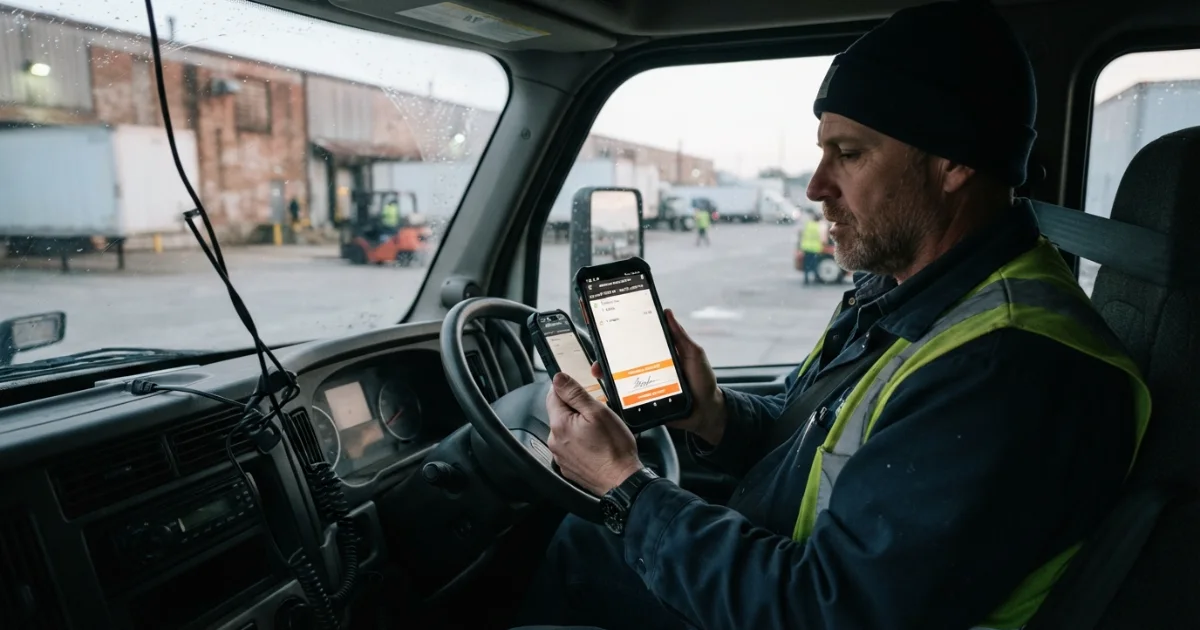
- Driver app: one Flutter codebase for iOS and Android. A stop list for the day, navigation hand-off to the phone's maps app, arrival and departure with one tap, signature capture, photo capture with automatic compression, and exception codes the TMS already used.
- Offline-first: every action is written to a local SQLite database first and queued. A sync worker pushes the queue when there is signal and resolves conflicts by stop and timestamp. The driver never sees a spinner.
- Back end: a Node.js API with PostgreSQL, pulling the day's routes from the TMS each morning and writing status events back as they sync. Mapbox for the dispatch map.
- Dispatch and customer views: a live map and stop board for dispatchers; proof-of-delivery documents generated as PDFs and published to the existing customer portal within minutes of sync.
- Team and timeline: three engineers and a designer, eight sprints, with five drivers on the beta from sprint three.
A typical stop works like this. The driver taps the next stop, then taps to open directions in the phone's maps app. On arrival, one tap records the time. The driver captures a signature on screen and, if needed, a damage photo. One more tap records departure. Each of those actions is saved on the phone at the moment it happens. If the truck is in a dead zone, nothing changes for the driver. The events wait in the queue and go out when the phone finds signal, often minutes later on the next stretch of highway.
Photo compression mattered more than it sounds. Full-size phone photos are large, and a queue of them on a weak connection can stall everything behind it. Compressing on the device kept uploads small and let status events, which are tiny, go first.
We chose Flutter because one codebase covered both platforms with one team. A cross-platform build is a trade-off. It saves time when the app is mostly forms, lists and camera access, as this one is. It costs more when an app depends on deep platform features. This app did not.
The hard decision in driver app development
Whether to build navigation into the app. The carrier wanted turn-by-turn inside the product. We said no for version one: drivers already trusted the maps app on their phones, building navigation would have cost a third of the budget, and the real problem was data capture, not routing. The app hands off to the phone's maps with one tap and resumes when the driver returns. Eight months on, nobody has asked for the feature.
The cost was not only the screens. Commercial navigation brings licensed routing data, rerouting logic and, for trucks, height and weight restrictions that consumer maps handle unevenly. Each of those is its own project to build and maintain. Spending a third of the budget there would have delayed the part that removed phone calls and paper.
The case for building it was real. A single app feels tidier, and switching apps adds a step. We weighed that against the risk of shipping a navigation experience drivers trusted less than the one they already used. Version one solved the paper problem. Navigation stays an option if the data later shows a need.
Results
Dispatch phone calls, counted from the phone system's logs, fell by more than half within two months of the full rollout. Proof of delivery reached customers the same day for nearly every stop, compared with next-day or later on paper. Damage claims became easier to settle because photos and timestamps arrived with the delivery record. Driver adoption was the number the operations director watched: by week four of rollout, every active driver was completing stops in the app.
Adoption came first for a reason. A driver app that half the fleet ignores produces half the data, and dispatch keeps calling everyone. Full adoption is what made the call reduction possible. We report calls from the phone logs rather than estimates because the carrier could check them.
What we would do differently
Test on the oldest phones first. The beta ran on the drivers who volunteered, who had newer phones. The first week of rollout found two models where photo compression was slow enough to annoy. We fixed it in days, but it should have been found in the beta.
Next time we take a device census during discovery: every phone model and operating system version in the fleet. Then we put the oldest and slowest models into the beta on purpose, alongside the volunteers. Volunteers are useful for feedback. They are rarely representative of the hardware.
How a project like this starts
With a ride-along. Two days in the cab and at the dispatch desk told us more than any document. Discovery then names the integration, the offline rules and the devices, and ends in a scope with a fixed price. If your drivers are still on paper, tell us about it.
The ride-along shows what a process document leaves out. Where the dead zones are. How a driver holds a phone while carrying a pallet jack. Which exception codes get used and which get skipped. Discovery turns that into decisions: which TMS endpoints we read and write, what happens to each event when there is no signal, and which devices we support and test.
Frequently asked questions
Did the carrier replace its TMS?
No. The TMS still plans routes and holds the customer records. The app is the mobile front end it never had, integrated through the vendor's API. Keeping the TMS avoided a migration and kept dispatch on the planning tool it already knew.
How does offline sync handle conflicts?
Each event carries the stop, the device time and a sequence number. The server applies events in order per stop and flags the rare conflict for a dispatcher rather than guessing. A person resolving one unclear record beats a system silently writing the wrong delivery time.
What about drivers who refused a work app on a personal phone?
The carrier offered a company device to anyone who asked. Eleven drivers took one. Making the choice open kept the rollout from stalling on a policy debate.